
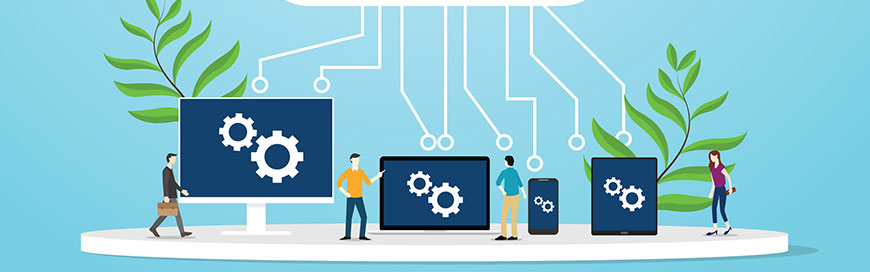
Cloud computing has rapidly evolved over the years, offering organizations a variety of options to meet their business needs. Two popular cloud services that have emerged due to the growing demand for convenient and cost-effective solutions are Desktop-as-a-Service (DaaS) and Software-as-a-Service (SaaS).
Cloud computing has transformed how organizations deliver software, manage infrastructure, and provide remote access to digital tools. Two common cloud service models businesses often compare are Desktop as a Service (DaaS) and Software as a Service (SaaS).
While both models rely on cloud infrastructure and remote access, they serve very different purposes. Understanding the differences between DaaS vs SaaS helps organizations choose the right solution for productivity, scalability, and security.
This guide explains how DaaS and SaaS work, the key differences between them, and when businesses should use each model.
What Is DaaS (Desktop as a Service)?
Desktop as a Service (DaaS) is a cloud computing model that delivers virtual desktops hosted in the cloud. Instead of running applications on a local computer, users access a fully functional desktop environment remotely through the internet.
The cloud provider manages the infrastructure, including:
- virtual machines
- storage
- networking
- operating systems
Users can log into their virtual desktop from almost any device, including laptops, tablets, or thin clients.
Common DaaS Platforms
Examples of DaaS providers include:
- Microsoft Azure Virtual Desktop
- Amazon WorkSpaces
- Citrix DaaS
- VMware Horizon Cloud
These platforms allow organizations to deploy secure desktop environments without maintaining on-premise hardware.
What Is SaaS (Software as a Service)?
Software as a Service (SaaS) is a cloud service model where applications are delivered over the internet instead of being installed locally on a device.
Users simply access the software through a web browser or application.
The provider manages:
- application infrastructure
- security updates
- performance
- data storage
SaaS allows businesses to use powerful applications without maintaining servers or installing software locally.
Common SaaS Applications
Examples of SaaS products include:
- Microsoft 365
- Google Workspace
- Salesforce
- Dropbox
- Slack
SaaS solutions are widely used because they reduce IT management requirements and allow teams to collaborate remotely.
DaaS vs SaaS: Key Differences
Although both are cloud-based services, they solve different problems.
DaaS vs SaaS Comparison
| Feature | DaaS | SaaS |
|---|---|---|
| Definition | Cloud-hosted virtual desktops | Cloud-hosted applications |
| User Access | Entire desktop environment | Individual software applications |
| Management | Provider manages infrastructure and desktop environment | Provider manages application |
| Use Case | Remote workspaces and virtual desktops | Business productivity tools |
| Examples | Amazon WorkSpaces, Citrix DaaS | Google Workspace, Salesforce |
In simple terms:
- DaaS delivers an entire operating system and desktop environment
- SaaS delivers a specific software application
How DaaS Works
In a DaaS environment, the cloud provider hosts desktop operating systems in virtual machines inside data centers.
Users connect to these virtual desktops through remote desktop protocols.
DaaS Architecture Includes
- cloud-hosted virtual machines
- centralized storage
- authentication systems
- remote display protocols
Because everything runs in the cloud, the user device only needs internet connectivity to access the desktop.
This makes DaaS ideal for organizations with remote employees or distributed teams.
How SaaS Works
SaaS applications run entirely on the provider’s servers. Users access the software through the internet using a web browser or lightweight client application.
Instead of installing software locally, users log in to the cloud platform and access the application directly.
SaaS Architecture Typically Includes
- multi-tenant infrastructure
- centralized application hosting
- web-based interfaces
- cloud data storage
SaaS platforms automatically update software, eliminating the need for manual upgrades.
Benefits of Desktop as a Service (DaaS)
Organizations adopt DaaS because it simplifies desktop management and improves security.
Key Benefits of DaaS
- Centralized IT management
- Secure remote access
- Simplified desktop deployment
- Reduced hardware requirements
- Scalable infrastructure
Because desktops run in the cloud, IT teams can quickly provision or remove users without configuring physical machines.
Benefits of Software as a Service (SaaS)
SaaS applications have become the most widely adopted cloud service model because they provide easy access to powerful software tools.
Key Benefits of SaaS
- No software installation required
- Automatic updates and maintenance
- Lower upfront costs
- Accessible from anywhere
- Easy scalability
Businesses often adopt SaaS solutions to improve collaboration and productivity.
When Businesses Should Use DaaS
DaaS is ideal for organizations that need secure and flexible desktop environments.
Common DaaS Use Cases
- Remote workforce environments
- Call centers and support teams
- Temporary employees or contractors
- Secure development environments
- Bring-your-own-device (BYOD) workplaces
DaaS allows companies to provide secure work environments without requiring employees to use company-issued computers.
When Businesses Should Use SaaS
SaaS solutions are ideal for organizations that want simple access to business applications.
Common SaaS Use Cases
- customer relationship management (CRM)
- document collaboration
- communication platforms
- project management
- accounting and finance software
Most modern organizations rely heavily on SaaS tools for everyday operations.
DaaS vs SaaS vs Other Cloud Service Models
DaaS and SaaS are part of a larger cloud computing ecosystem.
Common Cloud Service Models
| Model | Description |
|---|---|
| IaaS | Infrastructure delivered via cloud |
| PaaS | Development platforms hosted in cloud |
| SaaS | Software delivered through internet |
| DaaS | Virtual desktop environments in cloud |
Understanding these service models helps organizations choose the right architecture for their infrastructure and applications.
Security Considerations for DaaS and SaaS
Security plays an important role when choosing cloud services.
DaaS Security
DaaS environments improve security by:
- centralizing data storage
- preventing sensitive data from being stored on local devices
- enabling centralized access controls
SaaS Security
SaaS providers typically implement:
- encryption
- identity management
- data backup
- compliance controls
Organizations should still implement strong access policies and monitoring to protect cloud data.
Final Thoughts
Both Desktop as a Service (DaaS) and Software as a Service (SaaS) are important cloud computing models, but they serve different purposes.
- DaaS provides full virtual desktop environments hosted in the cloud
- SaaS delivers individual software applications through the internet
Organizations often use both models together to support remote work, improve productivity, and reduce IT infrastructure complexity.
Understanding the differences between DaaS vs SaaS helps businesses choose the right cloud strategy for their operations.
However, if you’re still unsure which service is right for your business, Liberty Center One can help you assess your needs and give you a professional recommendation. With our reliable and secure DaaS and SaaS services, we can provide you with the tools to enhance your business operations and drive growth. Contact us today to learn more.